Onboarding Email Sequences Triggered by In-App Behavior
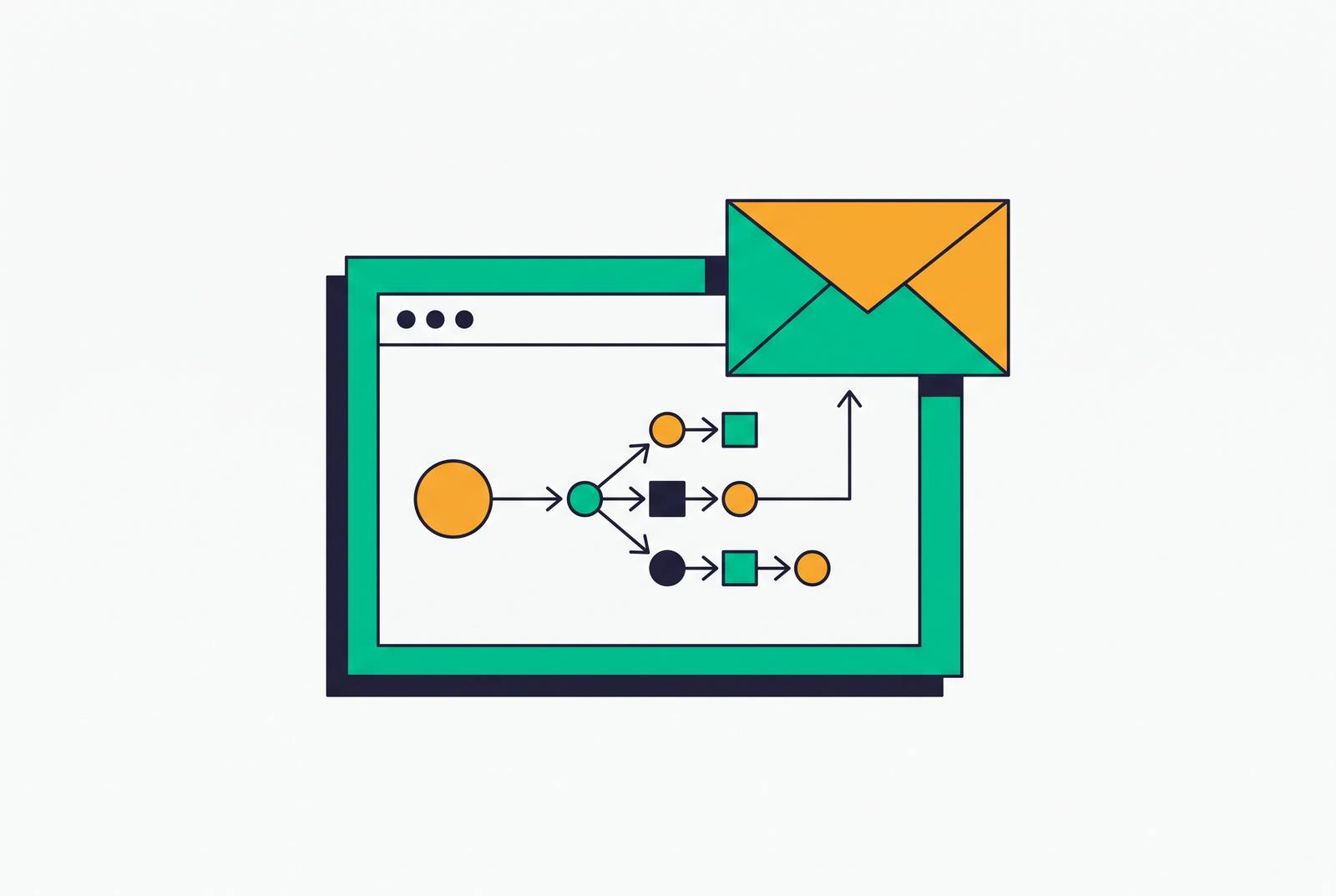
Trigger onboarding emails from user actions, not calendar dates.
Nearly two out of three people who sign up for a SaaS product never make it to the moment where the product actually pays off. The average activation rate is around 37.5%, and a separate crowd-sourced survey run through Lenny's Newsletter puts the average closer to 34%, with a median of just 25%. Either way, the math is brutal: most signups leave before the product does anything for them, and the email sequences meant to catch them are, in most companies, still built on a calendar instead of on what the user actually does.
Time-based drip emails, the kind that fire on day 1, day 3, day 5, assume every user is standing in the same spot on the same day. Time-based drip emails, the kind that fire on day 1, day 3, day 5, assume every user is standing in the same spot on the same day, an assumption false for almost everyone. That assumption is false for almost everyone. Median time-to-value for B2B SaaS is around a day and a half, roughly 1 day and 12 hours. So a day-3 email showing someone how to get value from the product often lands after that person has already gotten the value, or already decided the product isn't for them. Replacing the calendar with the product's own event stream is the fix, and that's a structural change, not a copywriting one. It's replacing the calendar with the product's own event stream, and that's a structural change, not a copywriting one.
What activation means and why teams define it wrong
Most teams get activation wrong before they write a single email, because they define it as a feeling instead of an event. "Completed setup" "Completed setup" is a precondition, not activation itself. It's a precondition, a checkbox that says the user is now capable of getting value, not that they got any.
Activation has to be one observable behavior. Something a product event log can register with a timestamp, not something a PM eyeballs on a dashboard and calls "engaged."
Slack's version of this is blunt and specific: a team is activated once it sends 2,000 messages. Not "installed the app," not "invited teammates." Two thousand messages, because that's roughly the volume where a team's daily communication has actually moved into Slack instead of staying in email or in the hallway. Hotjar takes a different approach at the front end: new users get asked what they're trying to accomplish right at signup (understand user behavior, improve conversion, something else), and that answer routes them into a custom onboarding path that only surfaces the features relevant to that goal. The activation target isn't universal. It shifts based on what the person said they came to do.
Pick the one behavior that proves the product worked for that person, and build everything else around getting them there.
The three layers where behavior-triggered email fits into a full onboarding flow
Behavior-triggered onboarding email doesn't run alone. It sits inside a three-layer flow, and each layer has a different job.
Primary onboarding covers signup to first activation milestone. This is where behavior-triggered email matters most, because every hour a user sits pre-activation is an hour closer to churn. Delay here isn't neutral, it's compounding risk.
Secondary onboarding picks up after activation and handles feature depth. Once someone's gotten value once, contextual prompts and triggered emails start introducing adjacent features, but only as the user builds confidence with the core workflow, never on a fixed schedule. A user who activated yesterday isn't ready for the same nudge as one who activated three weeks ago, even if the calendar says otherwise.
Tertiary onboarding is the long tail: re-engagement campaigns, new feature announcements, and prompts aimed at users whose usage has started to drift downward. It's less urgent than the first two layers, but it's where a lot of quiet churn actually gets caught, if anyone's watching for it.
Mapping product events to email triggers: the signal taxonomy
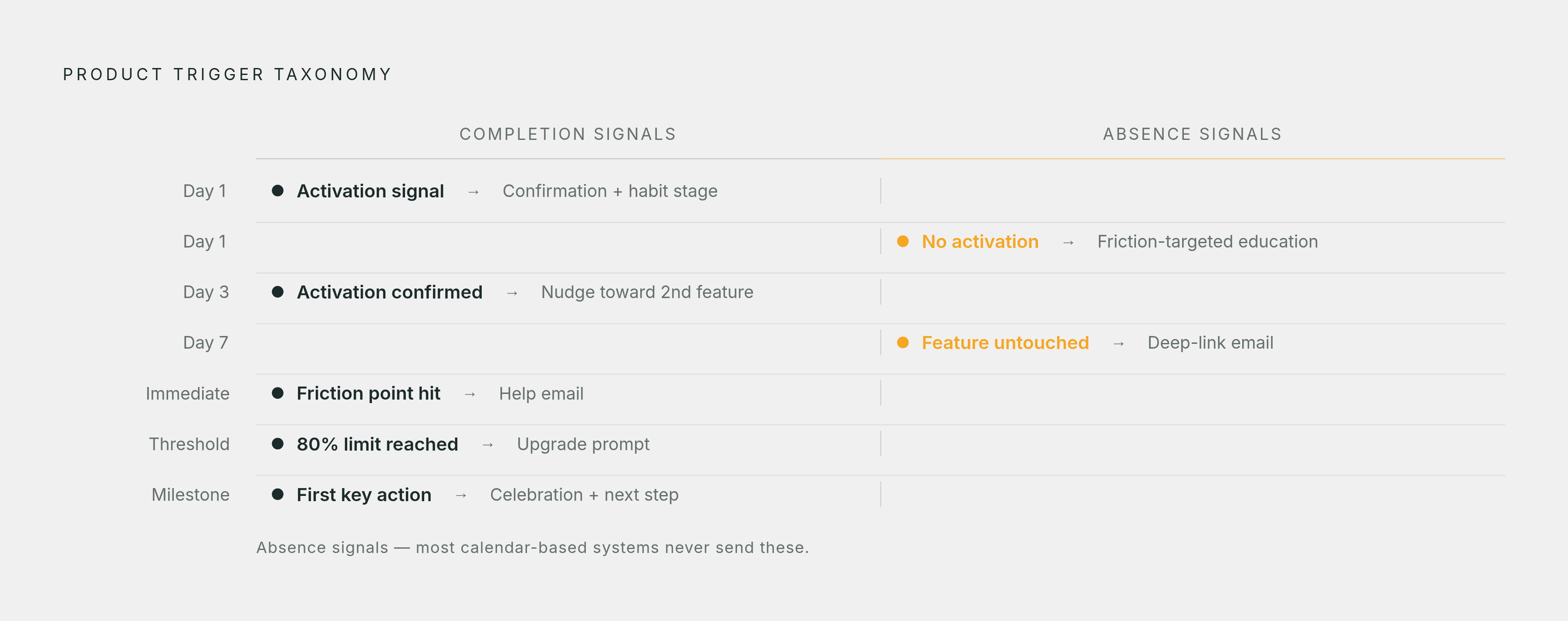
Two kinds of signals drive this system. Completion signals: the user did the thing. Absence signals: the user hasn't done the thing after N days of otherwise active use. Everything in a behavior-triggered sequence maps to one of those two.
A rough version of what that trigger map looks like in practice:
On Day 1, when the activation signal fires: send a confirmation email, move the user into the habit-forming stage of the sequence.
- Day 1, no activation signal: send an education email targeted at the specific friction point most users hit at this stage.
- Day 3, activation already confirmed: trigger an in-product nudge toward a second feature, tied to the activation event, not the calendar date.
- Seven days of active use with a core feature still untouched: send a short email pointing at that exact feature, with a deep-link straight into the product. Something like, "You've been building these reports by hand, here's the faster way."
- User hits a known friction point: a help email fires immediately, no delay.
- User crosses 80% of their free plan limit: an upgrade prompt fires. That's a usage-threshold signal, not a time signal, and it should never be handled as one.
- User completes a first key action: a short celebration email with a clear next step.
Timing compounds here more than most teams expect. A nudge sent two hours after someone abandons a workflow will outperform the same message sent the next morning, because the context is still warm. The direction email is heading in SaaS right now is micro-moment automation: responding to a specific in-product signal within seconds or minutes, not batching everything into an overnight send. Messaging platforms built for this kind of triggering are already set up to fire within minutes of a behavioral event rather than waiting on a daily batch job, and that's the operating model teams need to match if they want triggered email to actually feel triggered.
Suppression logic: when to stop sending is as important as when to start
If a user activates after the first email in a sequence, the rest of that sequence needs to stop immediately, and the user needs to move into engagement messaging instead. The sequence's job was to get them to activation. Once that's done, continuing to send onboarding emails isn't harmless, it's actively working against the product.
An onboarding email landing in the inbox of someone who already succeeded doesn't read as thorough. It reads as a system that doesn't know its own user, and that undercuts the exact trust that personalized messaging is supposed to build.
Suppression logic needs a few distinct categories, not one blanket rule:
- Activation suppression: the milestone completes, the user exits the onboarding sequence on the spot.
- Frequency caps: stop multiple triggers from firing for the same active user on the same day.
- Quiet hours: enforced at the send gate, not left as a per-prompt setting somebody forgets to check.
- Never-contact flags: hard stops that override every other rule in the system, no exceptions.
- Skip-if-unsure: when the signal about where a user actually stands is ambiguous, don't send anything. Silence beats a message that lands at the wrong moment.
Cadence should shift automatically as users move through stages, sending more frequently before activation and tapering off as habits form. Suppression logic is what enforces those transitions without a human having to babysit the schedule.
What to measure once the sequence is running
Open rate doesn't tell teams what they think it tells them anymore. A privacy feature built into a major mail client pre-fetches the tracking pixel regardless of whether a human ever looks at the message, and that feature now accounts for something like 50 to 60% of reported opens on many lists, with up to 64% of users of that mail client having it turned on. The pixel fires before anyone reads anything. Treating that number as engagement is measuring noise.
Better proxies exist, and they're all closer to the product than to the inbox:
- Did the user complete the activation event after getting the email? That's a product behavior change, not an email metric.
- Click-to-open ratio, as a directional read on engagement rather than a hard number.
- Replies and form fills, which are intent signals a person actually took action on.
- Feature adoption rate in the eligible cohort, measured before the message and after it.
Correlation isn't causation here: a user completing an action after receiving a message doesn't prove the message caused it, so teams should separate people-level behavior from account-level behavior when reporting this. A user completing an action after receiving a message doesn't prove the message caused it, and teams should separate people-level behavior from account-level behavior when reporting this, since the two tell very different stories. The metrics that actually earn buy-in from finance and leadership are the ones tied to dollars, not opens: CSAT and feature adoption numbers land differently once someone's shown how they connect to reduced churn and improved net revenue retention.
How AI adoption agents change what's possible in behavior-triggered onboarding
A chatbot answers questions from a side panel. An AI agent operates inside the product itself, clicking through screens, configuring settings, walking a user through a real workflow step by step. That's a difference in what the tool is allowed to do, not a difference in degree: chatbots support onboarding, agents run it.
McKinsey's 2025 State of AI survey found 62% of organizations are at least experimenting with AI agents, and the report projects agentic AI will power most of the new value AI generates in customer-facing functions going forward. On adoption outcomes specifically: 89% of respondents say AI has cut onboarding friction, 88% say it lets teams scale without adding headcount, and 92% report better customer satisfaction scores.
What agent-driven onboarding adds on top of a well-built triggered sequence comes down to a few concrete shifts. Context from before signup, a website conversation, qualifying questions, a stated use case, carries straight into the first product session, so the first screen a user sees is shaped by the last thing they actually said they needed. Instead of routing people into broad segments and triggering off group-level rules, the input becomes each person's current record: their role, their plan, their configuration, their history of behavior in the product. The agent writes the message that specific person needs, or skips sending anything at all when the evidence is thin, rather than pattern-matching them into the nearest template. And oversight moves up a level: instead of approving every individual message, a human sets the goal, the audience, the guardrails, and the limits at the campaign level, and the agent operates inside those bounds without needing a sign-off on each send.
Prescriptive vs. the distinction between a tool that changes behavior and one that only describes it
Descriptive tools look backward. They analyze what already happened, surface it in a chart, and hand a team a pattern to interpret on its own. Prescriptive tools look at where a customer stands right now plus how they got there, and then recommend, or outright execute, the next move.
A lot of what gets sold as onboarding software, product analytics tools, and lifecycle email platforms among them, ultimately hands a team a chart, or merges a first name into a template and calls it personalization. That's descriptive work dressed up as action. The prescriptive category is different in kind: it hands the customer the actual next step to take, and that step is grounded in a real number the customer generated or a line their own team wrote, not a generic best practice pulled from a template library.
Before buying any tool, ask whether it changes behavior or just describes it. Most of what's on the market still answers "what happened." Fewer answer "what to do next," and fewer still can do it without a human approving every single message along the way.